
SC
On sale
Spring Concert
Fri, May 8 · 7:30 PM · Memorial Hall
151 sold · $3,020.00
For venues with rows
One flat fee. Never a percentage. And a door that knows your guests.
Most ticketing platforms take a cut of your ticket price, or a monthly subscription, or both. We charge 79 cents a ticket. Flat. Everything you sell with is included.
Planning your first event? See what to have ready: a step-by-step checklist you can print or share.
Your dashboard on show night — orders landing and the door greeting guests by name.
Choose per event who covers the fee. The $0.79 never changes, and EventTicketGo never takes a percentage of your ticket price.
Fees passed to buyer · default
Checkout shows one line — service and processing fees — on top of face value. Your payout is the full ticket price, every time.
Wrap the fee into the ticket · all-in
Buyers see the ticket price and nothing else, at checkout and on the receipt. The $0.79 and card processing come out of your payout instead. All-in pricing costs most venues 6 to 9% of gross depending on order sizes.
Fee mode is set per event and locks when sales begin, so what buyers were charged always matches what you are paid. Card processing follows the same side as the $0.79 — the two are never split. A free ticket (an RSVP) carries no fee at all, ours or the card company’s. Founding venues keep this pricing as we grow.
No percentage of your ticket price. No subscription required. Free events are free. When your tickets get more expensive, our fee doesn’t. Payment processing passes through at Stripe’s standard rate, shown as one line before checkout. Add-ons (merch and extras) carry a separate 2%.
Ticket sales land in your Stripe Connect balance, then we pay out to your linked bank on the schedule you choose: about seven days after the event, or weekly during the sale with a small reserve held until the show is over. Never on our company books. Full refunds return our 79¢ fee too.
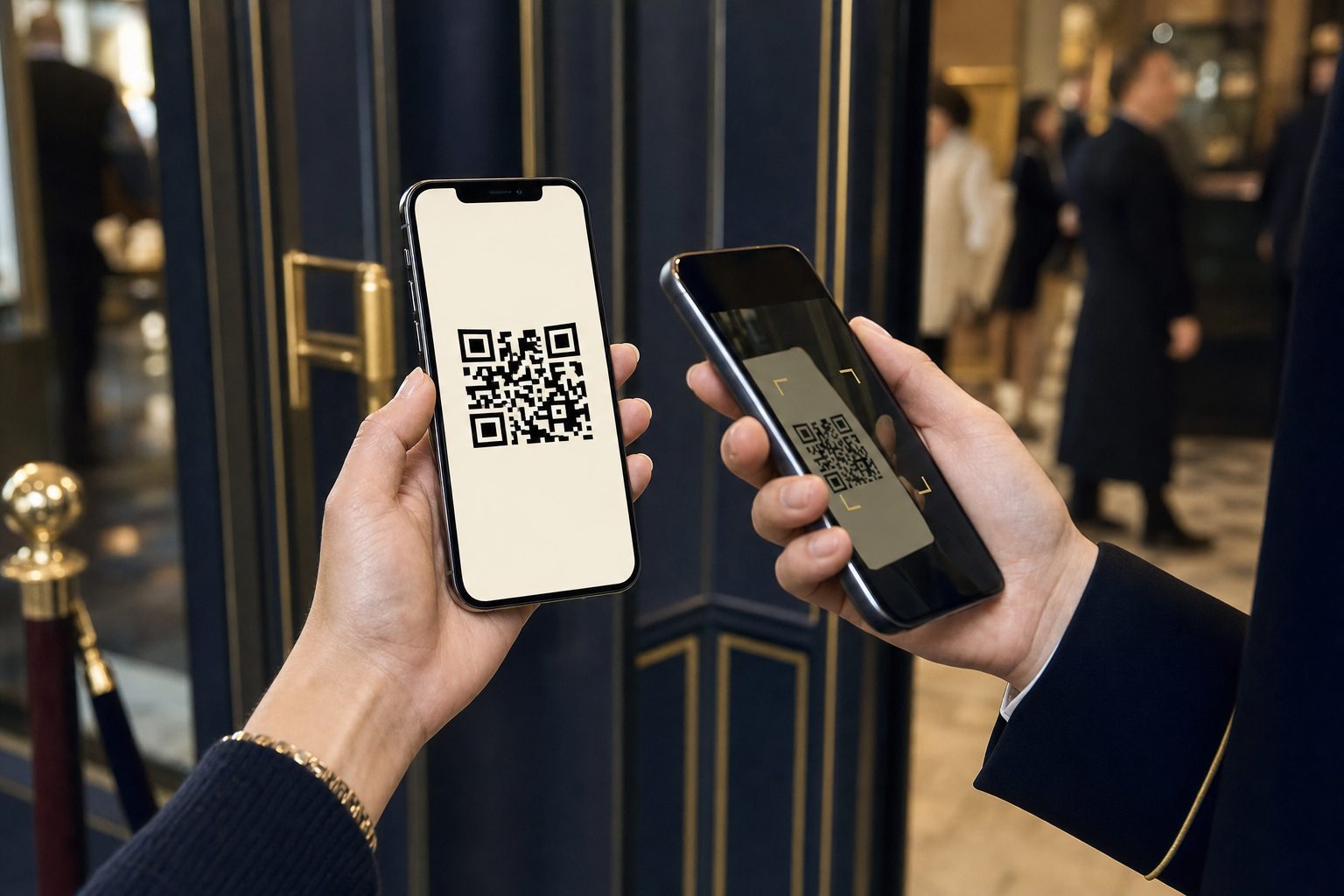
Your door staff scan one QR code and start working: no app to install, no accounts, no logins. Every valid scan greets the guest by name, with perk badges so ushers route them without a clipboard.
Names, emails, seats and history belong to the venue. We never market to your audience, never sell the list, and run no marketplace. Export your attendees to CSV any time, and if you ever leave, the list leaves with you.
Everything you need to sell, seat, scan and get paid. No plan to pick and no feature held back.
Optional add-on
$49 a month · billed yearly, $588 a year
The tools that bring buyers in. One price for every venue and everyone on your account, on top of the same 79¢ a ticket. 14 days free first, no card.
Email campaigns that sell
Schedule announcements for later, add a Get tickets button for any show, and see opens, clicks and tickets sold for every send.
Signups from your own website
A mailing-list form for your site, a WordPress shortcode or a shareable page. People confirm by email, then join your patrons.
Make a night of it
Offer up to three of your other shows in checkout. One payment; each show keeps its own settlement and door list.
WordPress plugin and live feeds
Your shows on your WordPress site with buy buttons, a calendar people can subscribe to, and a feed any web developer can use.
Tracking links
A link for each newsletter, partner or seller, with sales by source on your reports.
Morning sales email
Yesterday's tickets and revenue by show, in each team member's inbox at 7am.
Optional add-on
$49 a month, billed yearly, plus 3% per paid rental (borrowers pay it by default).
Rent out your lights, sound, staging and tables. Borrowers book and pay from a phone with no account; you hand it over and check it back in with a scan. 14 days free first, no card.
A public catalog that books itself
Borrowers pick dates, see what's free, sign the agreement and pay, with no account. No double booking.
Scan out and in from a phone
QR labels for every piece, pull lists, condition photos, and it keeps working with no signal.
Late fees, damage and reminders on autopilot
Reminders go out, late days are charged and capped at replacement value, and rentals close themselves.
Reports that pay off
Money by month, what earns, what sits idle, and what's worth selling.
Your catalog on your own site
One line of code puts it on your website, and the RentalGearGo network sends nearby borrowers your way.
At the door
Door staff open one camera link — no app install, no staff accounts. Guests hold their ticket QR; one scan and the door says welcome.
Same $20 ticket, same venue, four platforms. Competitor figures are their own published pricing as of July 2026.
 | Eventbrite | SimpleTix | ThunderTix | |
|---|---|---|---|---|
| Platform fee on a $20 ticket | $0.79 | $2.53 (3.7% + $1.79) | $1.19 ($0.79 + 2%) | ~$1.00 + subscription |
| Percentage of your ticket price | Never | 3.7% | 2% | None |
| Monthly subscription | None required. Optional add-ons, $49/mo each | None* | None | $25/mo (reserved seating) |
| Reserved seating chart | Free — we build it for you | Paid plans | Free builds | $0.55/seat, $250 minimum |
| Where ticket money lands | Your Stripe Connect → your bank | Held by Eventbrite | Your processor | Your gateway |
| When you're paid | Your choice: ~7 days after the event, or weekly during the sale | Starts ~3 days after the event ends | Same day | Nightly |
| Door staff setup | Scan one QR. No app, no logins. | Organizer app + accounts | Organizer app + staff access | App or hardware scanners |
| Greets guests by name at scan | Yes: "Welcome, Steve." | — | — | — |
| Our fee refunded when you refund | Always, on full refunds | No | Yes | n/a (subscription) |
| Your attendees' data | Yours. Exportable any time. We never market to them. | Marketplace and discovery emails | Yours | Yours |
Competitor pricing and policies as published on their own sites and help centers, July 2026, and subject to change (Eventbrite’s has changed 11 times since 2007). *Eventbrite’s human support requires a Pro plan starting at $15/mo. Payment processing (typically 2.9% + 30¢) applies on every platform including ours, and we show it as one honest line before checkout. Our default payout is about seven days after the event so refunds can settle before cash hits your bank; weekly payouts during the sale are a setting away. If we’ve gotten something wrong here, tell us and we’ll fix it the same day.
Switching from Eventbrite
Export your Eventbrite attendee CSV, upload it here, and we’ll build your patron list plus an optional draft event. Your emails stay yours. No migration fee. No lock-in theater.
A 200-seat evening at $20 a ticket, fees passed to buyers. Here’s what everyone gets.
A demo venue runs on this site with a real season, patrons, rentals and a door. Walk the three sides of it. Everything you change resets overnight.
The scanner your volunteers would hold: green, amber, red, a typed ticket number, and it keeps working when the lobby signal drops.
Sales by show, the seat map with every name on it, payouts, patrons, rentals and the exports. Signed in as the demo venue.
Open the demo dashboardPick seats on a real map, add a gift at checkout, no account to make. The demo stops at payment on purpose.
Buy a demo ticketA dance school or a film society renting your hall can sell its tickets through your EventTicketGo. You set the show up on your map, link it to their rental, and choose what they see: sales as they come in, a statement every morning, and the guest list for their own door.
Neither of us wants your opening night to be the first time anything is tried. This is what the first one looks like.
Not for arenas. For ethical societies, community theaters, school stages, and houses of worship: the rooms where the usher knows half the crowd, and now knows the other half too.
See your room in itQuestions & Answers
Straight answers, no fine-print games. If your question isn’t here, reply to any email from us and a human answers.
Practical help for the people who run the nights that matter. Twice a month.
Unsubscribe anytime. We never sell your address.